Everything in your head,
in one place.
Type it, paste it, say it, or share it — DailyDo instantly turns it into the right thing: a task with a reminder, a note, a bookmark, or a podcast to play. Synced privately across iPhone and iPad.

For iPhone and iPad · Free for up to 50 items · Mac app coming soon
Twelve accent colors, light and dark — this page follows along, and so does the app.
One box. Zero filing.
This is Quick Create — the box the app opens with. Type anything and DailyDo recognizes what it is, titles it, and files it for you.
- Dates become reminders, URLs become bookmarks, feeds become podcasts
- Paste, attach, or dictate — same box, same smarts
Voice in, sorted out.
Tap the mic and talk. DailyDo transcribes on-device as you speak, then files the thought exactly like typed text — task, note, or reminder.
- Live transcription with automatic titles
- Voice memos keep the audio and the text, side by side
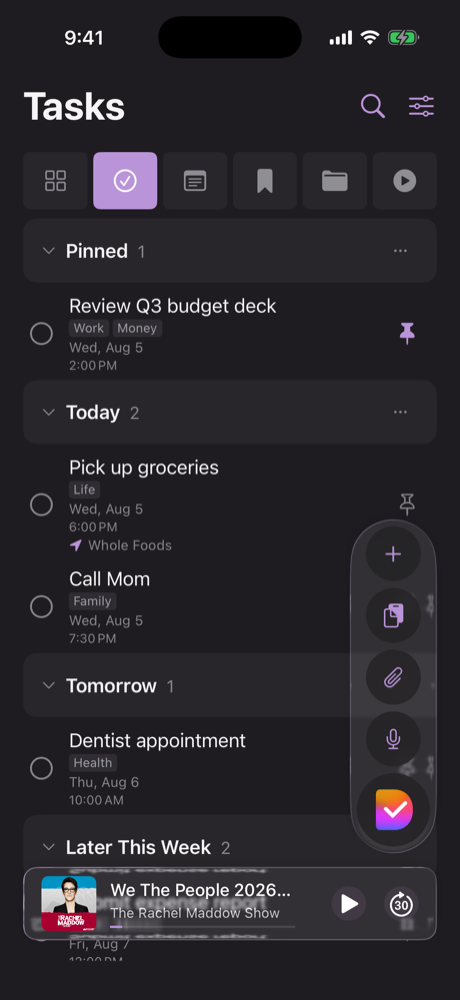
Your day, at a glance.
Tasks organize themselves into Today, Tomorrow, and Later — with pinned items always on top and reminders that hold the line.
- Due-time alarms with snooze and mark-done from the notification
- Repeating tasks, progress goals, and multi-completion habits
Notes that title themselves.
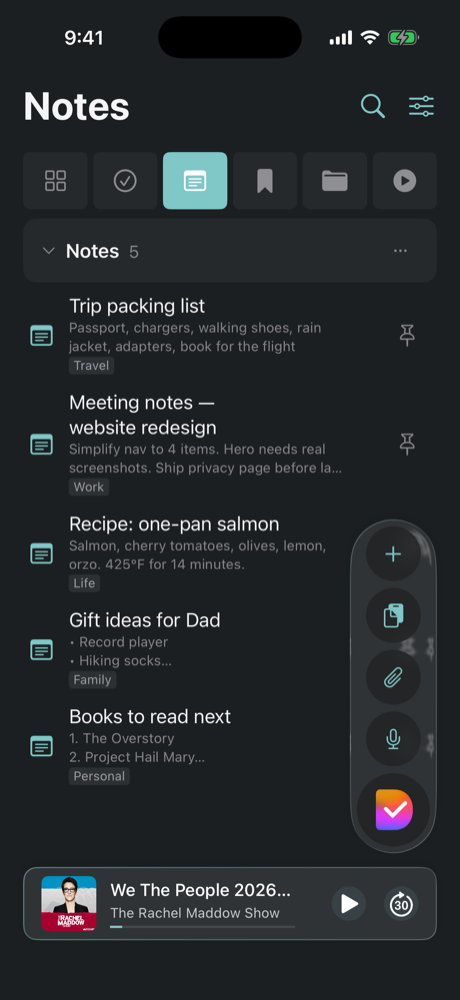
Jot the thought and go — DailyDo names it, tags it, and keeps it searchable. Long text becomes a note with a summary title, automatically.
- Checklists inside notes and tasks, shareable with a link
- Voice notes with automatic transcription
Podcasts, built in.
Paste any show's feed and DailyDo becomes your player — artwork, episode list, background playback, and a mini player that follows you around the app.
- Subscribe from a built-in catalog or any RSS feed
- Resume positions synced across your devices

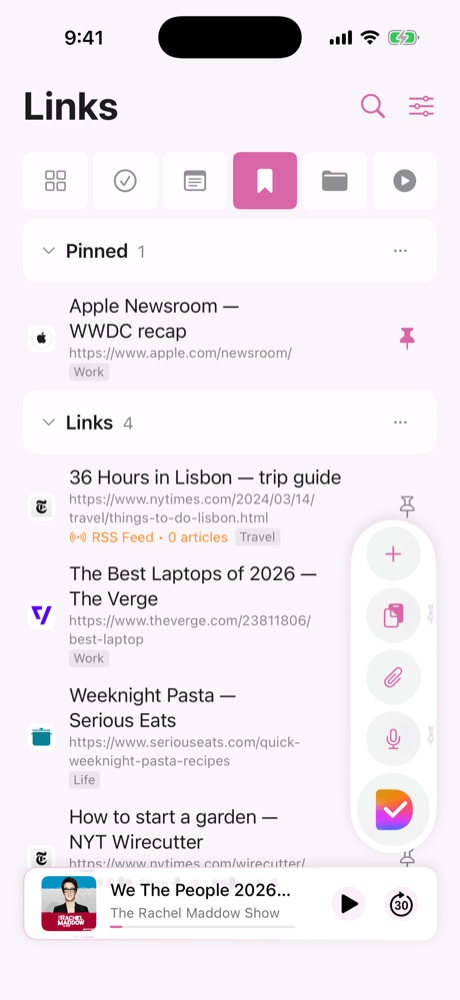
A reading list that builds itself.
Paste a URL and the title is fetched for you. Bookmarks, articles, and feeds land in one place — tagged, previewed, and ready when you are.
- Share into DailyDo from Safari or any app
- Smart paste detects links, dates, and phone numbers
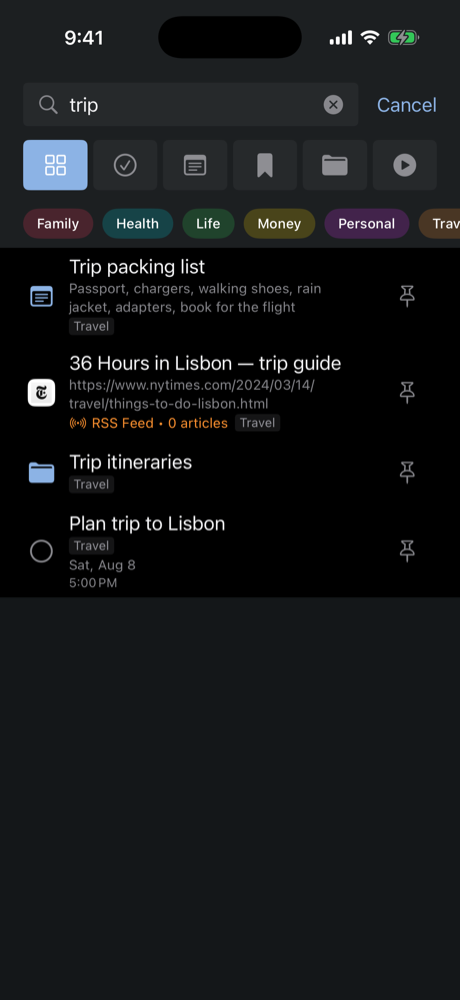
Find anything in a keystroke.
One search runs across everything — tasks, notes, bookmarks, collections — and colored tags slice it any way you like.
- Tag filters stack with search for laser-precise results
- Everything indexed the moment it's captured
One box for everything
Tasks, notes, bookmarks, media, and collections live together — no more deciding which app a thought belongs to.
Capture from anywhere
Share into DailyDo from any app, paste from the clipboard, or use the widget — it lands sorted, titled, and ready.
Reminders that hold the line
Due-time alarms, snooze and mark-done right from the notification, and multi-stage timers for anything you're timing.
Scan, snap, and speak
Scan documents with automatic text recognition, snap photos, record voice memos with transcription — all attached to your items.
Checklists & sharing
Break notes and tasks into checklists, and share a live link so someone else can follow along.
Private by architecture
No account. No analytics. Your data lives on your devices and in your own private iCloud — we couldn't read it if we wanted to.
Your data never meets our servers.
The DailyDo app has no sign-up, no analytics or tracking, and no servers of its own. Everything you capture is stored on-device and synced through your personal Apple iCloud account. If you buy Pro, Apple handles the payment and RevenueCat keeps an anonymous receipt. Read the privacy policy: it's short, because there's not much to disclose. (This website counts visits with cookieless analytics; the app counts nothing.)
Free to capture. Pro to go big.
Capture is never blocked. The free plan keeps up to 50 active items; DailyDo Pro removes the cap and funds an indie app with no ads and no data harvesting.
- Every capture feature
- 50 active items
- Private iCloud sync
- Unlimited active items
- All future Pro features
- Unlimited active items
- All future Pro features
- Everything in Pro
- Pay once, never again
Prices in USD; local pricing may vary. Completed items never count against the free cap. Subscriptions renew automatically until cancelled in your Apple Account settings.
For iPhone and iPad · Free for up to 50 items · Mac app coming soon